Chrome Extension · Free

Make every Trello board work the way you do.

Hide the noise, spotlight what matters, filter cards in a click, and turn any board into instant charts — all without leaving Trello.

No accountNo trackingSaves per board
Features

Everything Trello forgot to add

Four board controls and a smarter way to open cards — built right into the page.

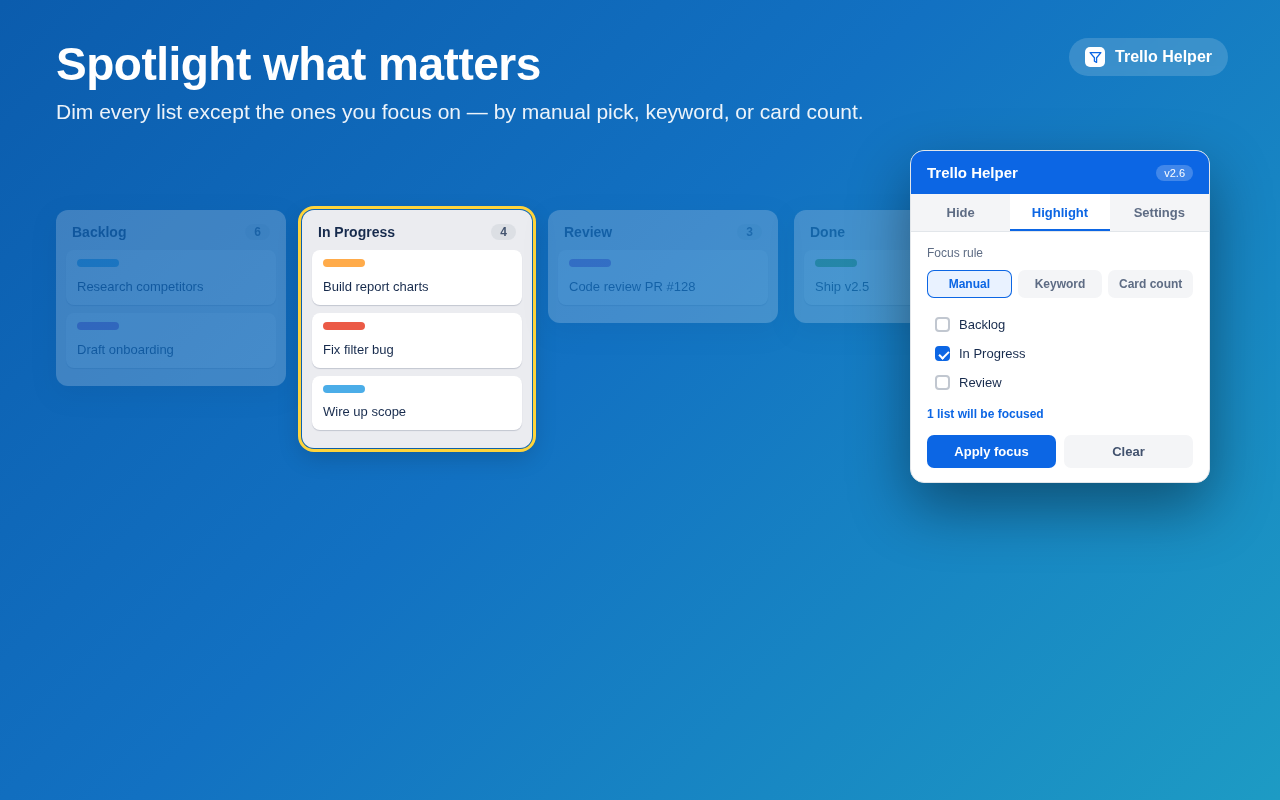
Focus

Spotlight the lists that matter

Dim every list except the ones you care about, so the right work stands out at a glance.

  • Focus by manual pick, keyword, or card count
  • Live preview of how many lists will be focused
  • Faded lists stay one hover away
Highlight feature dimming non-focused lists
Filter

Find the cards you need, hide the rest

A one-click Filter button in the board header hides cards that don't match your conditions on name or custom field.

  • Match by card name or custom field (AND logic)
  • Scope to only — or all except — certain lists
  • Optionally reveal hidden lists that hold a match
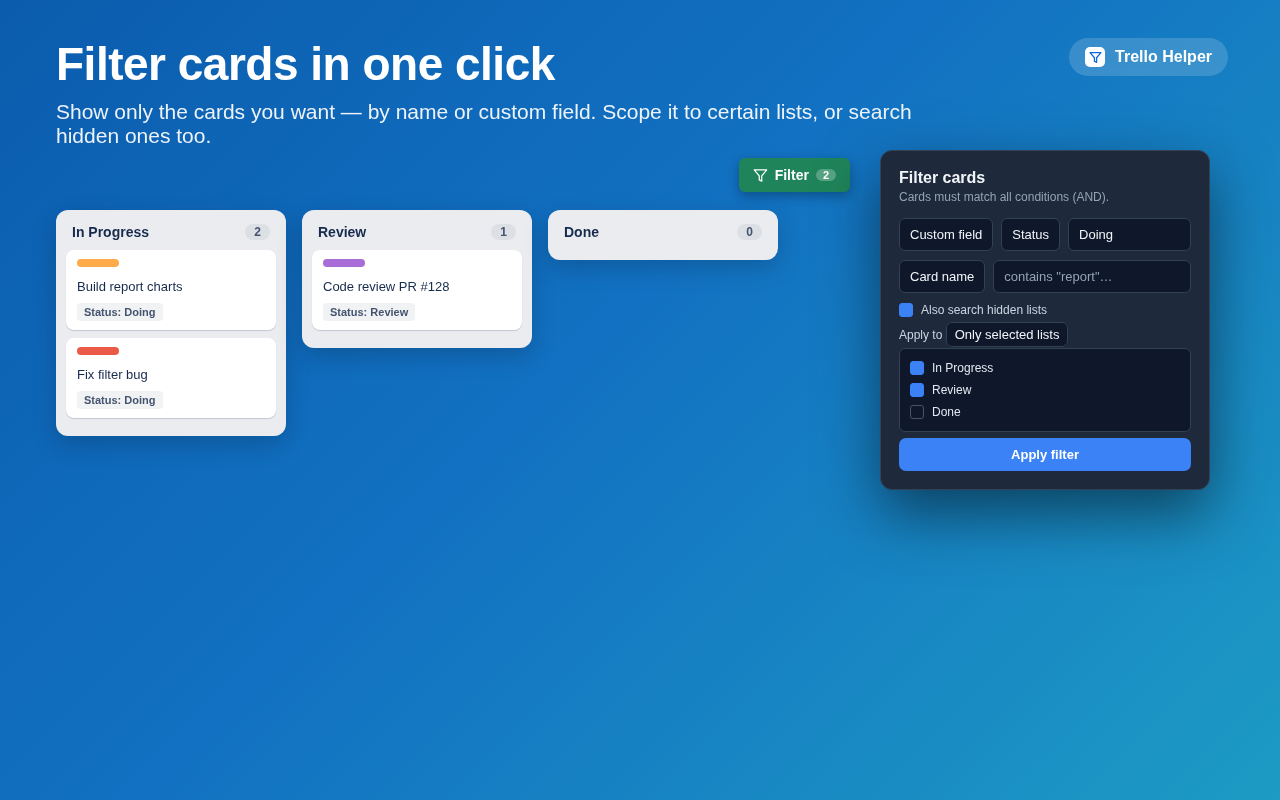
Card filter panel and filtered board
Insights

See the whole board at a glance

Turn any board into charts instantly — no spreadsheets, no external services, all rendered right on the page.

  • Card count per list & distribution by custom field
  • Cumulative Flow Diagram from daily snapshots
  • Scan the whole board, not just what's on screen
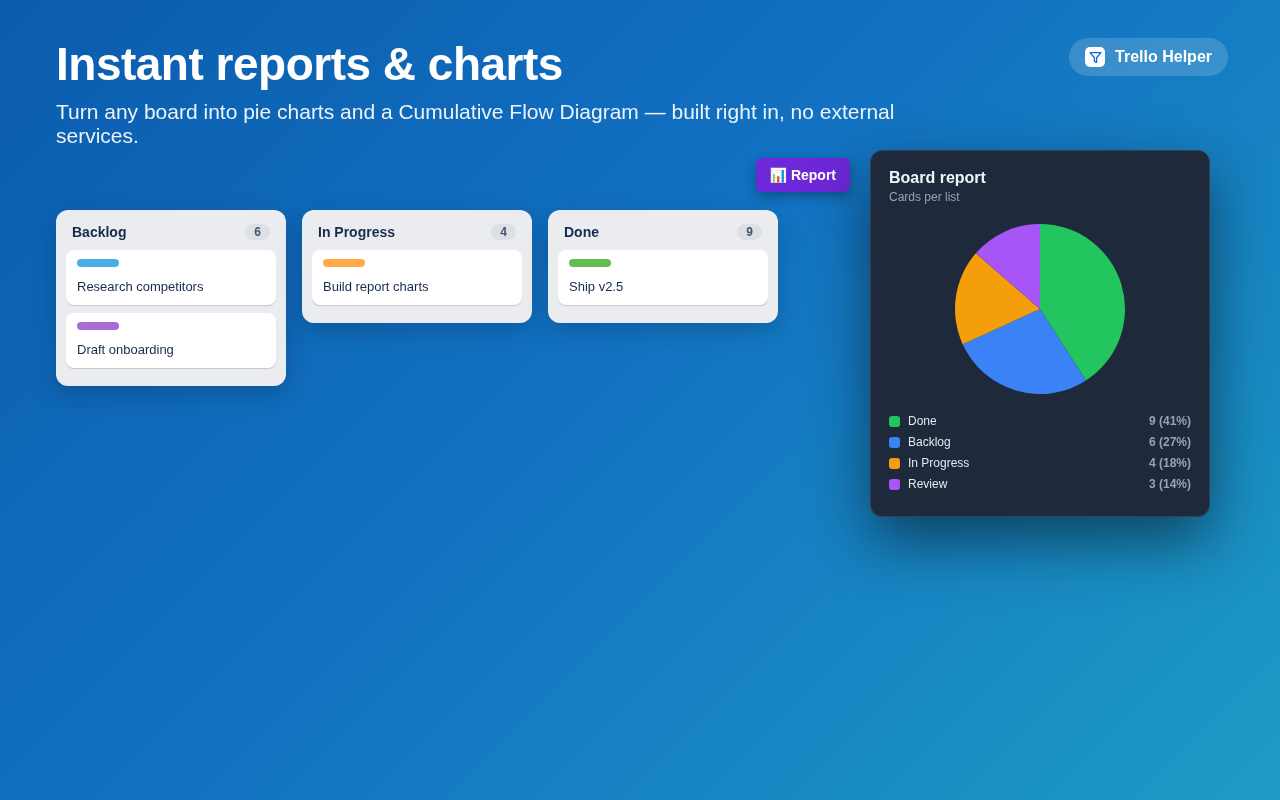
Reports with pie charts and cumulative flow diagram

Hide lists

Remove clutter entirely — hidden lists take no space and the rest snap neatly to the left. Perfect for parking "Done" columns.

Card detail default

Open every card the way you like it — collapsed to comments, or fully expanded. Set it once; manual toggles are always respected.

Why you'll like it

Quiet, fast, and entirely yours

Per-board memory

Every preference is remembered independently for each board.

Flicker-free

Hidden lists never flash into view on reload.

Always in sync

Re-applies automatically as Trello redraws the board.

No sign-up

No account, no tracking. It just works on trello.com.

Privacy first

Your data never leaves your browser

Trello Helper does not collect, transmit, or sell anything. Every setting is stored locally with Chrome storage and stays on your device.

What the extension stores

To make your preferences persist, Trello Helper saves the following on your own device using the browser's local chrome.storage:

  • Which lists you've hidden or highlighted, per board
  • Your filter conditions and report settings
  • Daily card-count snapshots used to draw the flow chart
  • Your card-detail default (show or hide) preference

What we don't do

  • No data is collected, sent to us, or sent to any server
  • No data is shared with or sold to third parties
  • No analytics, no tracking, no ads, no account required
  • The extension runs only on Trello board pages (trello.com)

Removing your data

Because everything is stored locally, removing the extension — or clearing your browser data — deletes all of it. Nothing remains anywhere else.

Contact

Questions about privacy? Open an issue on GitHub.

Last updated: June 2026
Free

Take control of your Trello boards

Install Trello Helper and make every board work the way you do.

Add to Chrome — it's free