 Crisp Widget Bubble
Crisp Widget Bubble
Crisp Widget Bubble
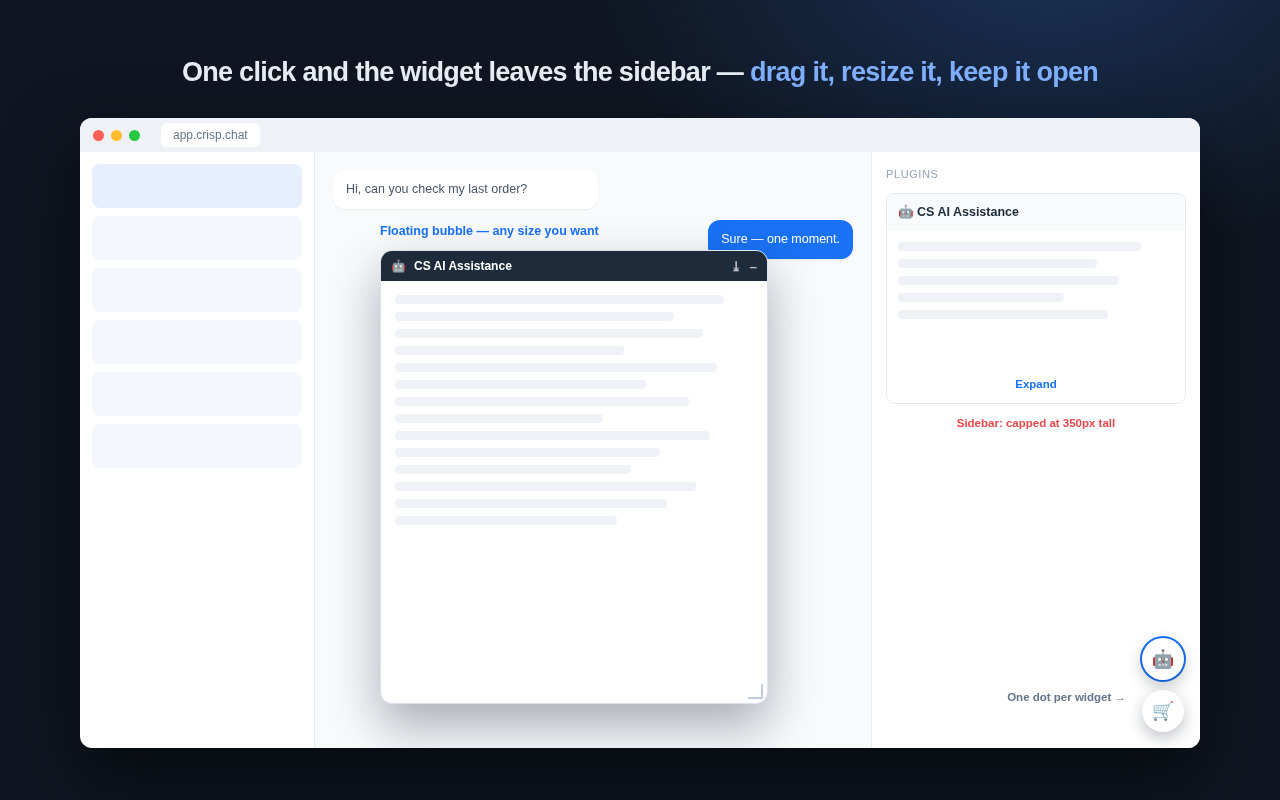
Crisp caps every plugin widget in the conversation sidebar at 350 px tall inside a 300 px column. This extension floats the widgets you pick as bubbles you can drag, resize and leave open — on the same page, on the same session, with nothing sent anywhere.
Everything happens inside your own browser tab. There is no account, no server and no second app to install.
A bubble is not bound by the sidebar's 350 px height or 300 px width. Drag the bar to move it, drag the bottom-right corner to resize it.
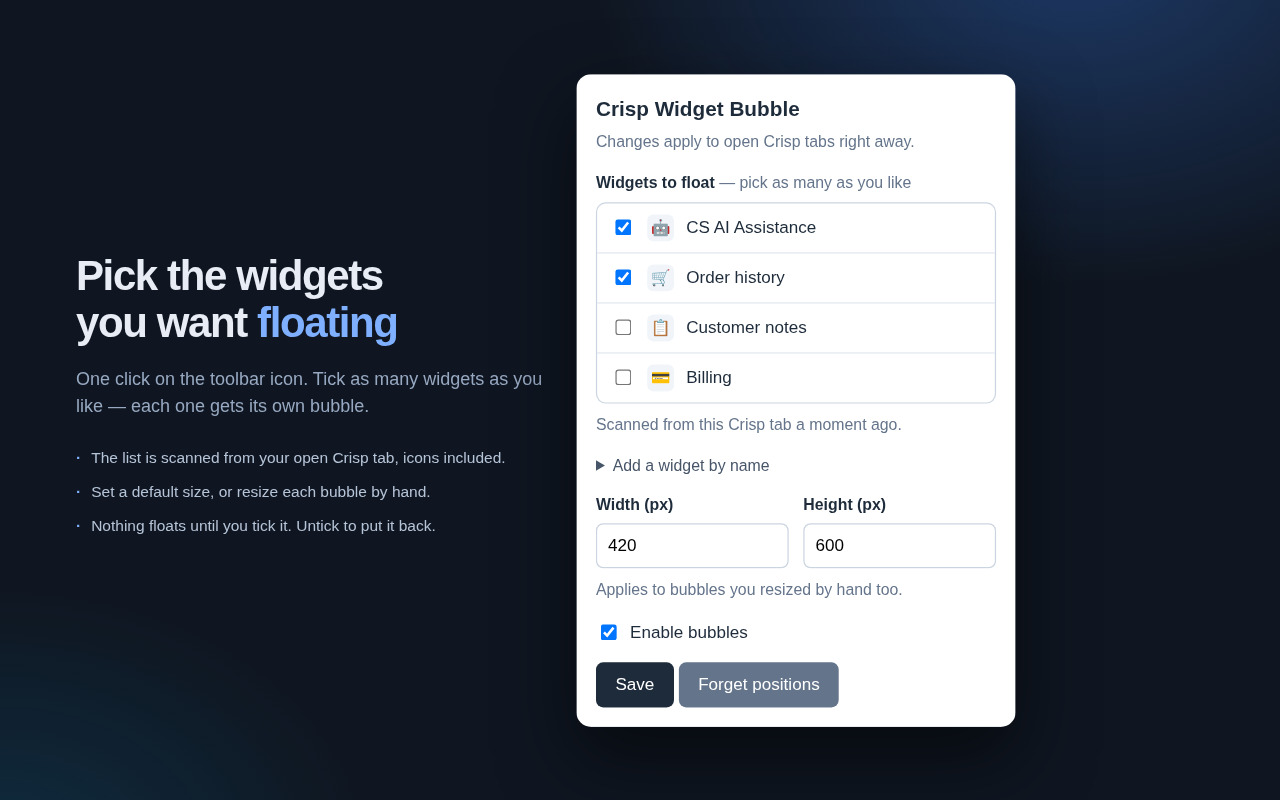
Tick several widgets and each gets its own bubble, with its own remembered position and size. Nothing floats until you tick it.
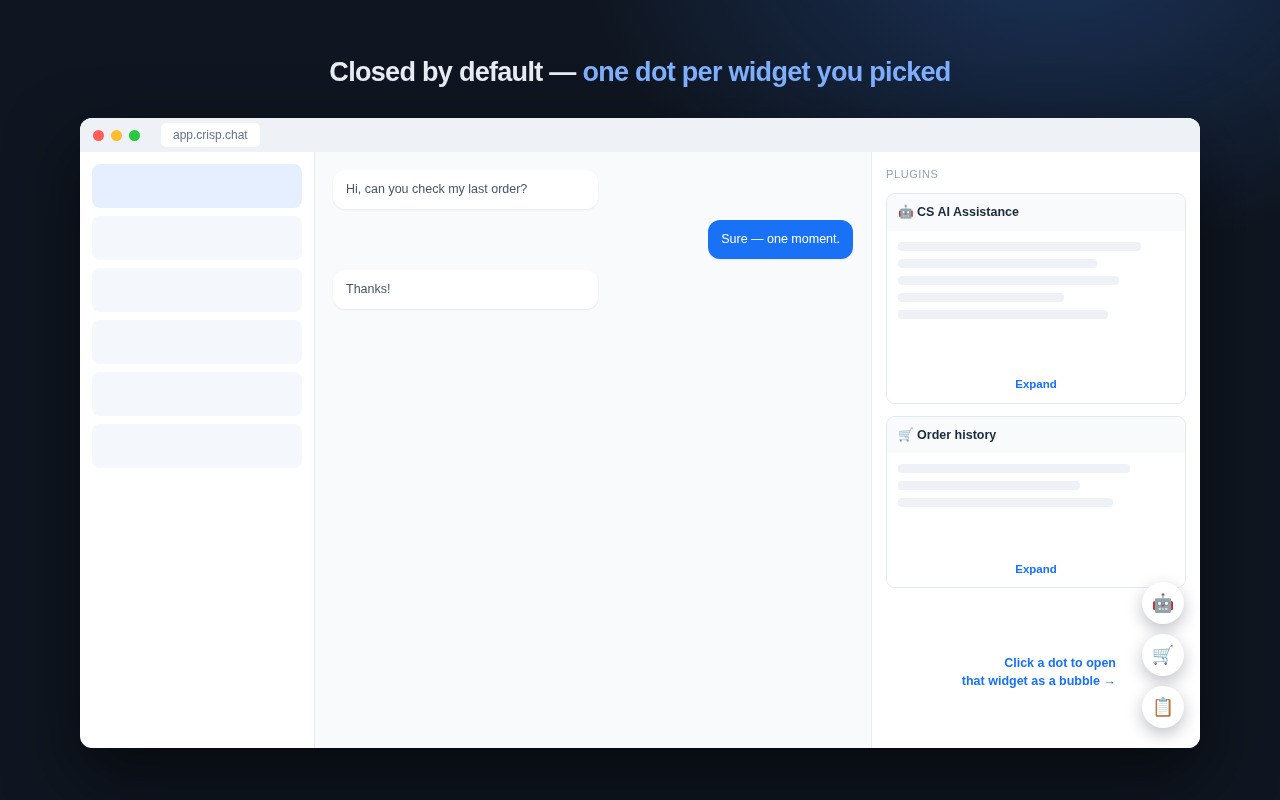
Every chosen widget keeps a round dot in the bottom-right corner. Click to open, click again to close — the open one is ringed in blue.
Crisp rebuilds the sidebar every time you open another conversation. The bubble you had open is re-opened on the rebuilt widget automatically.
The widget iframe is never moved to a different parent, so its signed Crisp session and SDK handshake stay intact. Only its CSS layout changes.
The ⤓ button puts a widget straight back into the sidebar and unticks it.
Turn the whole thing off with a single checkbox.
Three things worth knowing before you install it.
Click the toolbar icon and you get the list of plugin widgets found in your open Crisp tab, icons included. Tick the ones you want floating and save — open Crisp tabs update immediately. A widget from a conversation that has not been scanned yet can be added by typing its name.
Moving a widget's iframe to another parent would make Chrome reload it, and the widget would lose the signed session Crisp handed it. So the extension never re-parents anything: it changes CSS on the elements already on the page and adds its own drag bar and dots next to them.
A fresh page shows nothing but a column of dots in the corner — one per widget you picked. Click a dot to open that bubble, click it again to close. Only one bubble is open at a time, and nothing opens by itself.
Crisp Widget Bubble has no servers. It does not collect, transmit or sell any data, and it contains no analytics, telemetry or tracking of any kind.
The only thing it stores is your own settings — which widgets you picked, where you left each bubble, and the widget names and icons it found in your tab so the popup can list them. All of it stays in your browser and is removed when you uninstall. Read the full privacy policy.